


Anova two factor with replication
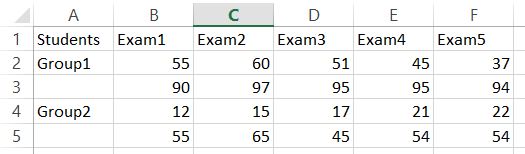 Next go to the ribbon to the Data tab. Click Data Analysis button.
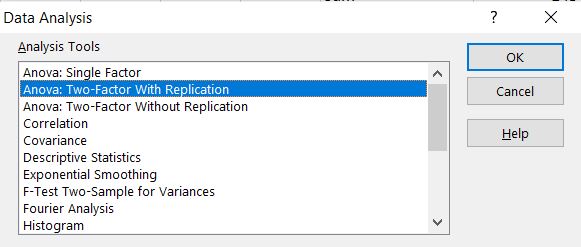
 If you don’t have this button it means that you have to install Analysis ToolPak add-in.New dialog box appears. Click Anova: Two-Factor With Replication option.
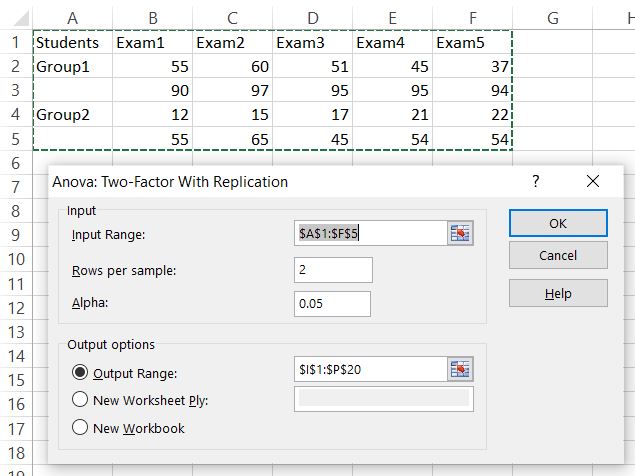
Select Input Range which is your data table (only numbers). In my sheet it is $A$1:$F$5. In each example (group of students) I have 3 samples. As Alpha I left default 0.05.
Anova test appears in the Output Range I defined.
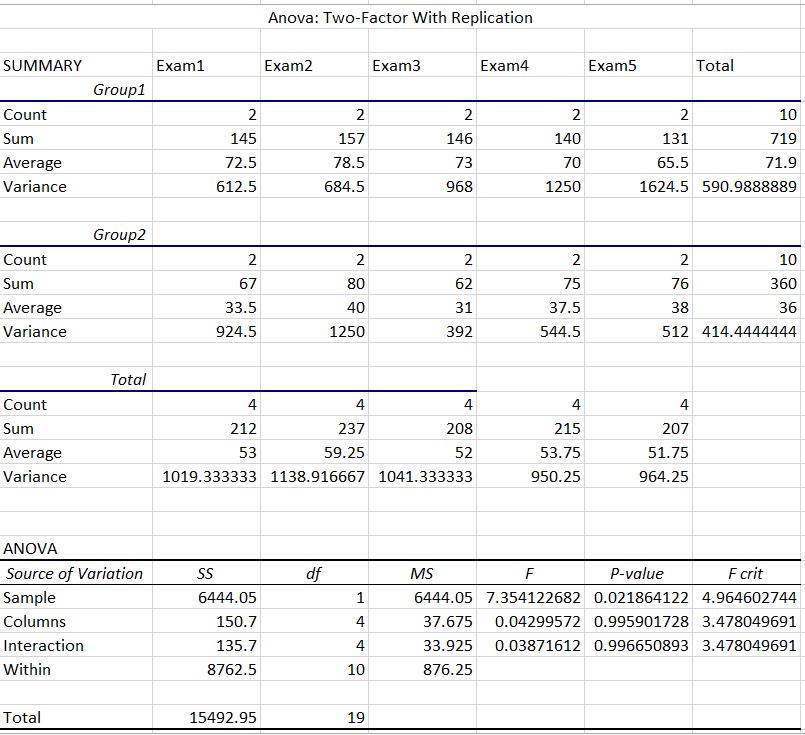
Anova two factor with replication test could be useful for statistics of some sets of data. Excel does it really well.
Further reading:
Anova two factor without replication
How to create KPI dashboard?
Interactive Charts
Power Query


