


How to add trendlines in Excel?
 To add trend line, first you need to click on the chart. On the ribbon, there is a new Chart Tools menu. In the Layout tab, you’ll see the Trendline button. You can insert 4 different types of trend lines. These are: Linear Trendline, Exponential Trendline, Linear Forecast Trendline and Two Period Moving Average.Linear Trendline for this sample line chart will be like in the picture below.

In this way, you can insert a very simple trendlines. You get more opportunities after selecting More Trendline Options button.

Then appears Format Trendline dialog box.

This dialog box gives you a lot of options to work with trendlines. For example, let’s see how it will look next 10 Forward Forecast periods for your sample trendline.
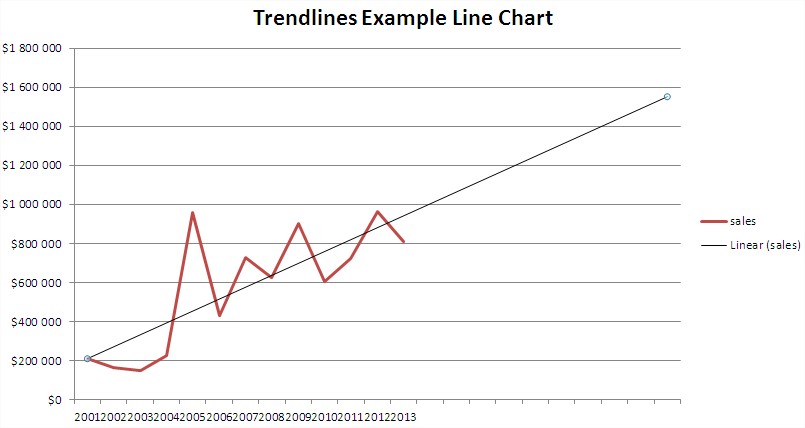
It’s just a very simple example but I’m sure you know how to add trend line and how to use trendline.
As you can see, the trendlines are pretty useful tool.
Template
You can download the Template here – Download
Further reading:
Basic concepts
Getting started with Excel
Cell References


