


Drop – Down List
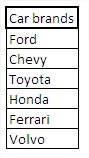 Drop-down list that you create will look like this:
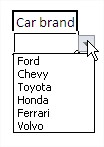 As you can see we have a choice among all brands of cars from the table. How to do it?Start from the table. First, select all brands of cars.
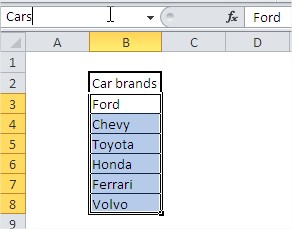
Invent a name for this data. Let it be ‘Cars’. Enter the name to the name field and confirm with Enter button.
Now select the cell (or cells), which has a drop-down list to appear. We go then to the data tab on the ribbon and press the button Excel Data Validation.

A dialog box appears. Select ‘List’ and type the name of our range of cells after the = sign that is in us =Cars

Drop-down list is ready.
Template
You can download the Template here – Download


