


Chart that Ignores N/A! Errors and Empty Values
 Note: The result in earning column is with the help of IF function, as you could see in the formula bar, and the 0,6875 is price of product. Mark relevant cells for the chart.
 Click insert in the Microsoft Excel.
 Click on the line chart.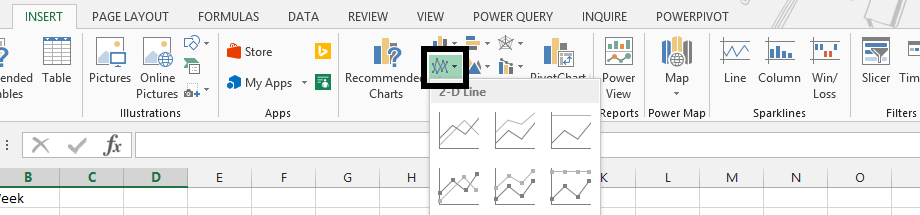
Click on 2-D line chart.

Right click on the series with a break (1), and choose “Select Data” (2).

Click hidden and empty cells

Check zero, and then press ok.

Press ok The new chart:

Template
You can download the Template here – Download
Further reading:
Basic concepts
Getting started with Excel
Cell References


