


How to Calculate WACC?
This data would looks something like this:
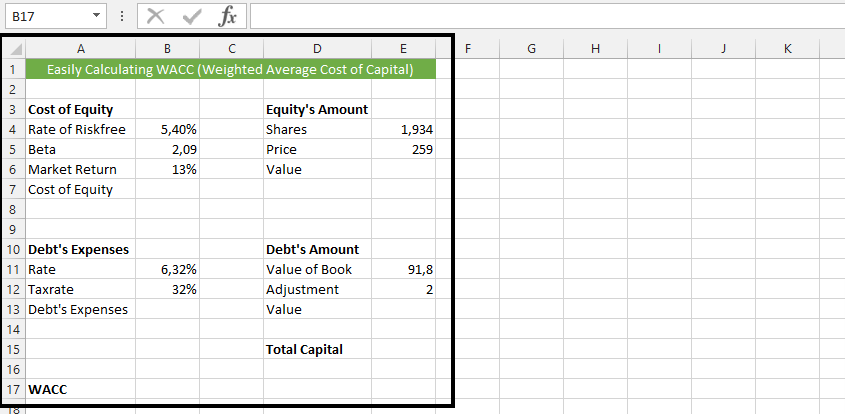
Click on B7 (1), and type in =B4+B5*(B6-B4) (2), and press enter, to calculate the cost of equity.

Note: If the result shows number, just change it to percentage with the format cell.
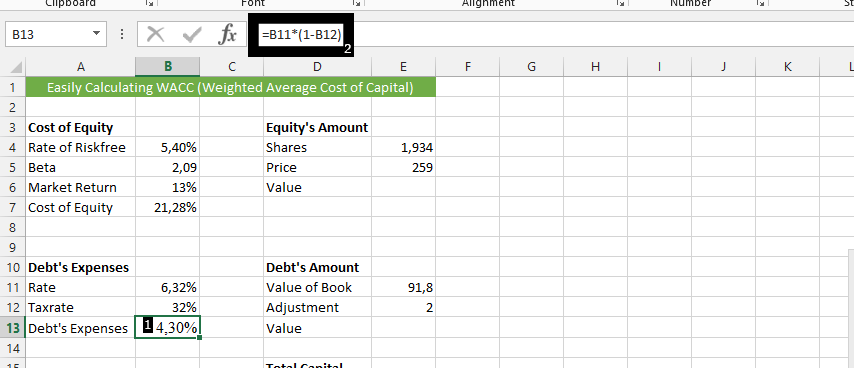
Click on cell beside debt’s expenses (1), and type in =B11*(1-B12) (2), and then press enter.
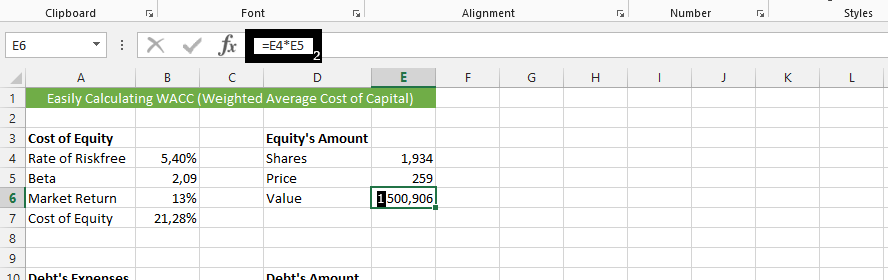
Click on the cell beside Value (1), and type =E4*E5 (2), to calculate the value on Equity’s amount.
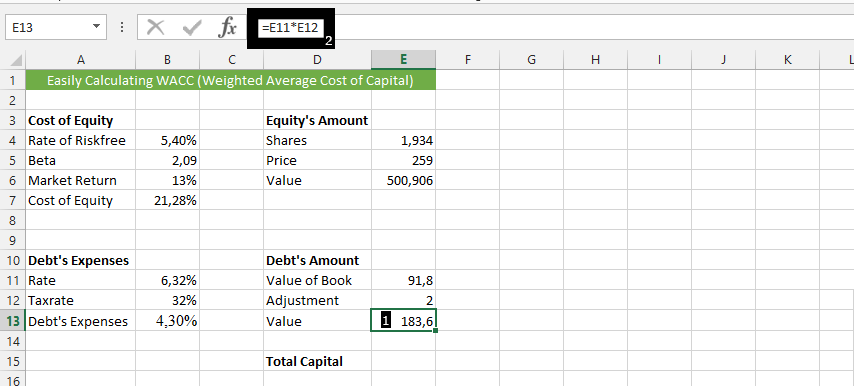
Click on beside the value under debt’s amount (1), and type in =E11*E12, and then enter.
Click beside Total capital (1), and type in =E6+E13 (2).
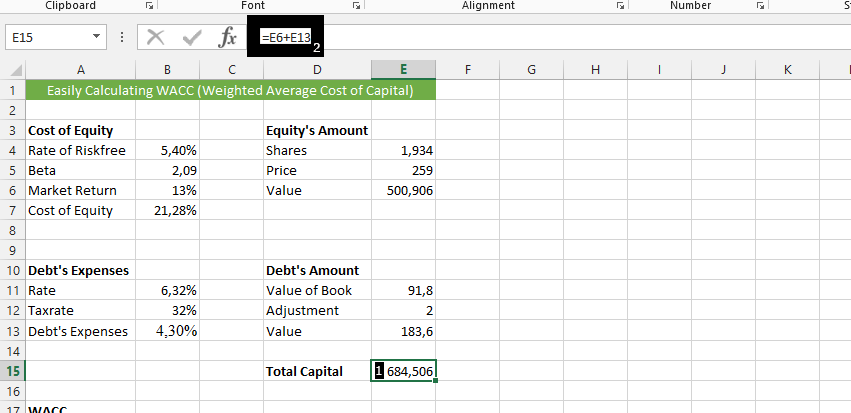
Click on the cell beside WACC (1), type =B7*E6/E15+B13*E13/E15, and press enter.
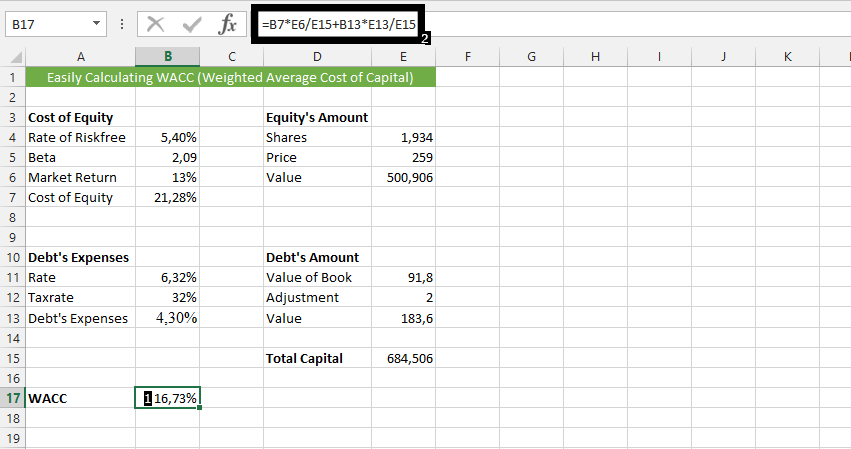
This is how to calculate WACC in Excel.
Template
You can download the Template here – Download
Further reading:
Basic concepts
Getting started with Excel
Cell References


