


How To Return Many Items For A Single Lookup Value
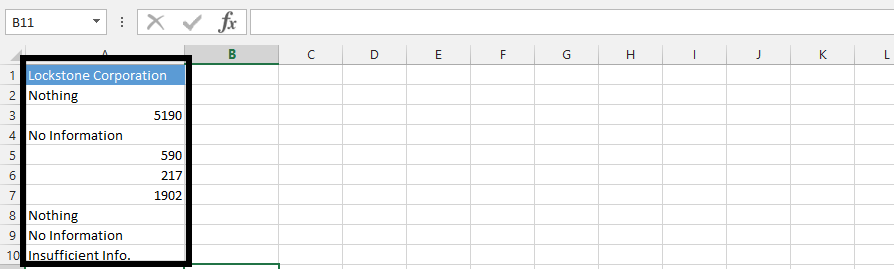 Note: You could see that there are multiple factors that shows in the data as number.Click on an empty cell (1), and type in =COUNT(A4:A10) in the formula box (2).
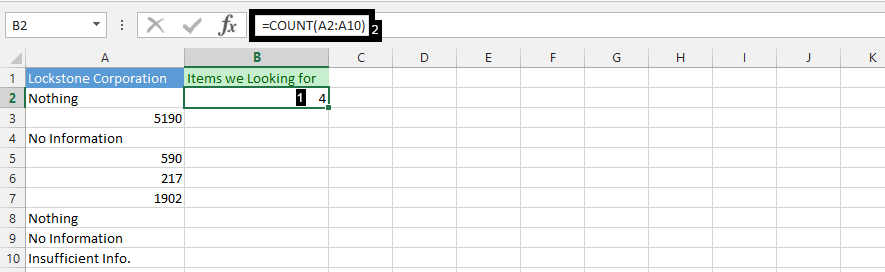
Click on an empty cell (1), and type
=IF(ROWS(C$2:C2)<=$B$2,INDEX($A$2:$A$10,SMALL(IF(ISNUMBER($A$2:$A$10),ROW($A$2:$A$10)-ROW($A$2)+1), ROWS(C$2:C2))),””) (2),
and then press F2.
Now hold CTRL + SHIFT simultaneously, and press enter.
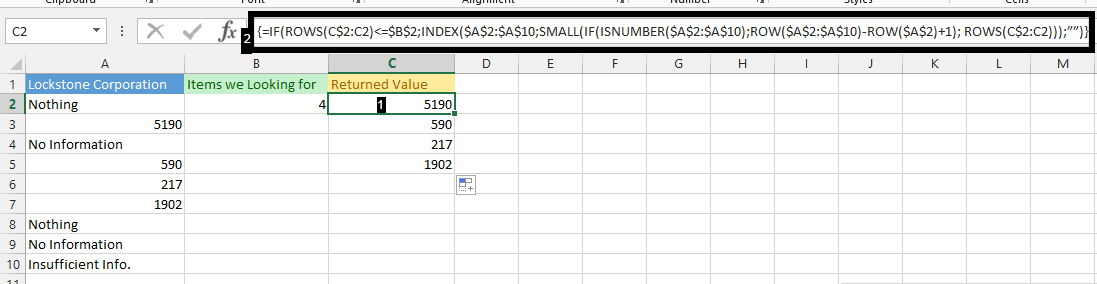
Note: We used the small box on the right lower corner of the cell to drag down the result that is showing on the picture above.
Template
You can download the Template here – Download
Further reading:
Basic concepts
Getting started with Excel
Cell References


