


How To Increment Row Number In Formula In Excel
 You should click on an empty cell (1), and then type in this formula using SUM, OFFSET and COLUMN together in one formula:
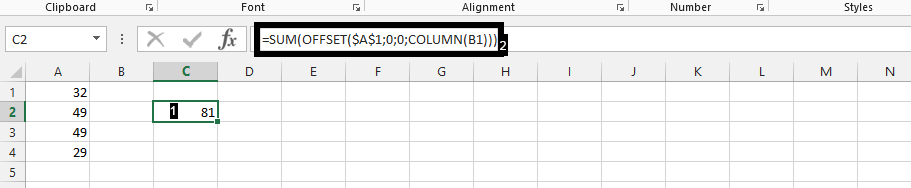 Proof that there is a success in the increment by clicking on the small square that shows on lower-right corner of the dark green, and drag it to left.
 Note: It is better to only stick to 3, because after the third it will be showing the same number over and over again.
 In conclusion, after following those two steps, you should have something like this.
Template
You can download the Template here – Download
Further reading:
Basic concepts
Getting started with Excel
Cell References


