


Finding The Maximum Magnitude
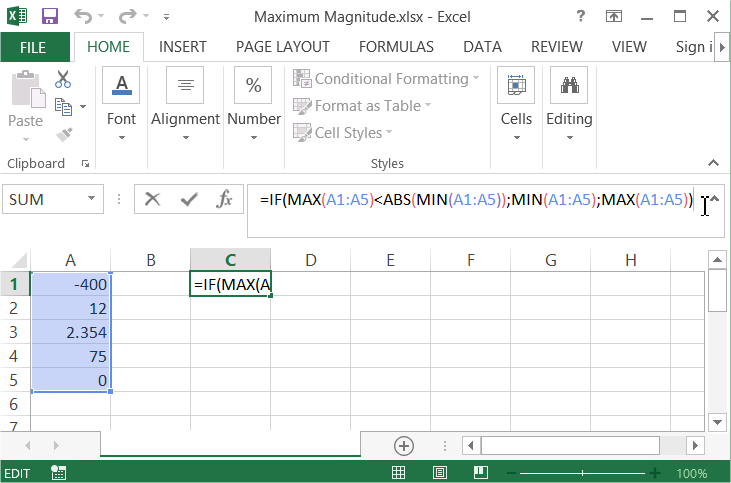 Here is the explanation of this formula:First check IF the MAXIMUM value in the A1:A100 range is lower than ABSOLUTE of MINIMUM value. IF it is true that means that the maximum magnitude is a MINIMUM number. Otherwise it is a MAXIMUM number. Remember that a maximum magnitude can be negative or positive number.Here is the whole secret about finding the the maximum magnitude using Microsoft Excel application.
Template
You can download the Template here – Download
Further reading:
Basic concepts
Getting started with Excel
Cell References


